Attendance Tracking: Bring Live Viewers Back

Words by
Roanne
Edited by
Roanne
💡 Key takeaways
Repeat viewers convert better and cost less to reach. But engagement events on their own give a rewarded viewer no reason to watch the next broadcast, so cherry-picking sets in and purchase conversion stalls.
Shoplive added attendance tracking, which stacks check-ins across multiple broadcasts and lets you design rewards around the completion point. The longer the series runs — a Black Friday campaign, say — the more it pays off.
Timing and type of reward matter more than volume. Playful, low-commitment prizes early to lower the barrier, shifting to purchase-linked rewards as completion nears, is what produces both return visits and sales.
When a live commerce stream ends, the connection with the audience usually ends with it. Without something to pull viewers back, every broadcast means spending budget and effort to find a brand-new crowd all over again. This article looks at what actually brings viewers back between streams, and what Shoplive's new attendance tracking event, which stacks check-ins across multiple broadcasts, really does.
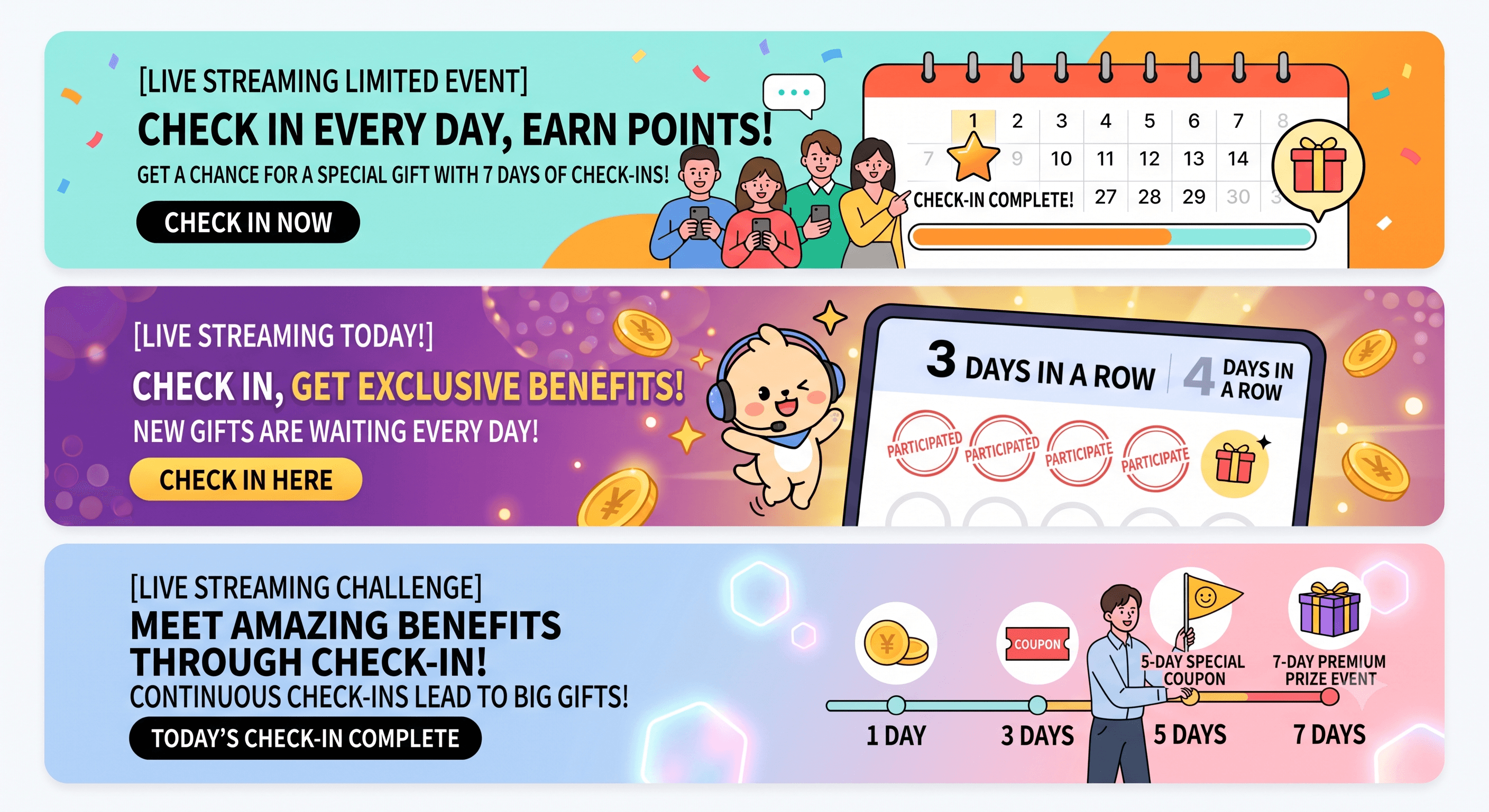
Why do repeat viewers matter so much in live commerce?
Repeat viewers arrive already familiar with the brand and the product, so they're far more likely to buy and to stick around. That gap widens with higher-priced items, or anything a shopper wants to compare: most people don't decide in one sitting. They watch a few more times, get comfortable, then buy. And because you've already won them once, they cost far less than the new viewers you'd otherwise have to buy ads for every single stream.
Creating that return visit on purpose is the hard part. Product detail pages and VOD content can track returning users through logins or cookies and retarget them. A live stream can't: once the broadcast ends, the viewing record ends with it, and the trail goes cold.
The trap in engagement events: customer churn from cherry-picking
Design your event so that engagement (watching, chatting) and conversion (buying) never touch, and you invite cherry-picking, where viewers collect the reward and leave. Run a giveaway or a discount coupon drop, and a slice of your audience will show up for the prize and nothing else.
The root cause is the reward structure itself. When a reward is complete within a single broadcast, the viewer has already got what they came for, so there's no reason to watch the next one. Engagement numbers can climb steadily in this setup while purchase conversion rate stays flat or even drops, because a large share of that engagement is people collecting and leaving.
In-stream engagement events | Cross-stream cumulative events | |
|---|---|---|
Purpose | Attention and watch time within one broadcast | Return visits across multiple broadcasts |
Unit of measurement | Participants per broadcast | Cumulative check-ins across the campaign |
Reward timing | Drawn and paid out when the stream ends | Concentrated at completion (the final session) |
The two do different jobs. Engagement events close the loop inside one broadcast and push an immediate purchase. Cumulative events hold out a benefit in the next broadcast and pull viewers back. Add a structure where rewards lean harder toward purchase as participation builds, and you can run both, capturing sales in a single stream and return visits across many.
Shoplive built that cumulative structure as an event called attendance tracking. It stacks viewer check-ins across multiple broadcasts and lets you design rewards around the completion point. It joins the existing quiz, poll, and raffle events that lift in-stream participation, giving you both layers at once: attention in one broadcast, return visits across several.
Why does attendance tracking lift return rates?
Attendance tracking works by showing viewers, every broadcast, how many times they've checked in so far. Show progress stacking up like a stamp card, and viewers come back rather than waste what they've already built. It's the same pull as a café loyalty card or a stamp rally: once a few squares are filled, you want to fill the rest. Daily login rewards in mobile games and streaks in subscription services (Duolingo, for one) run on the same principle.
But an app lets you check in any time of day, while a live broadcast only admits viewers at a set time, so they can't check in whenever they feel like it. And with live, a viewer can only come back if they know when the next broadcast is. That's why it matters to announce the next broadcast's schedule as the stream ends. And rather than leaving it there on screen, push the attendance data into your CRM and follow up through channels that reach people outside the stream, such as push notifications or messaging, to lift return rates for the next broadcast.
There's a flip side. If completion feels too far away, viewers decide they'll never get there and drop out early instead. The reluctance to waste what you've built only kicks in when finishing looks possible in the first place. The same mechanic can raise return visits or raise early churn, depending entirely on how many sessions you set and where you put the finish line.
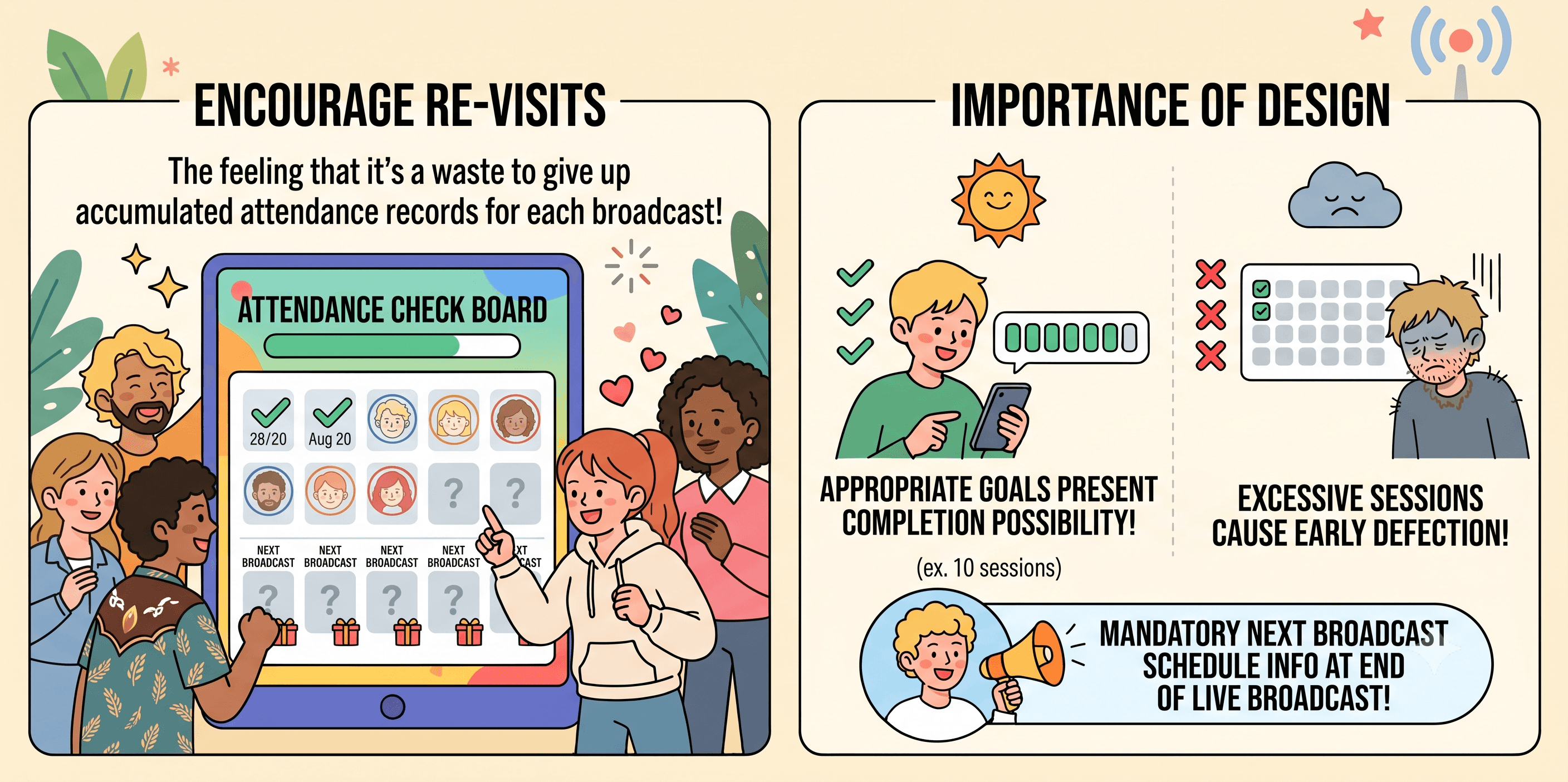
How should you design rewards so they carry through to conversion?
Vary the character of the reward by stage of participation, and plain engagement starts turning into actual purchases. What decides the sale isn't how much you give away. It's which kind, and when.
Early on, viewers aren't sure about the brand or the product yet, so rewards that ask for no commitment work better: scratch tickets and similar chance-based, playful prizes lower the barrier. Later, as check-ins pile up and completion gets close, viewers have seen the product several times and sit much nearer a decision, so a concrete incentive like a purchase-linked coupon converts more easily. In a ten-session campaign, for example, you might put scratch tickets at sessions 5 and 9, and purchase-linked coupons at 7 and 10. Adjust the run to your own session count and goals.
Get this wrong and you'll push churn up instead. Pile every purchase-linked reward onto the final session and completion feels distant, so more viewers quit early. Spreading rewards across several sessions, so there's a small win along the way, works better than loading everything onto one completion prize. Brands design the campaign and the actual payouts themselves, using the attendance data Shoplive provides.
How did Shoplive build it?
Shoplive attendance tracking is a pop-up that accumulates viewer check-ins across multiple broadcasts (campaigns) and hands that data back to the brand. Here's the setup flow in the admin, step by step.
STEP 1. Create the attendance tracking pop-up
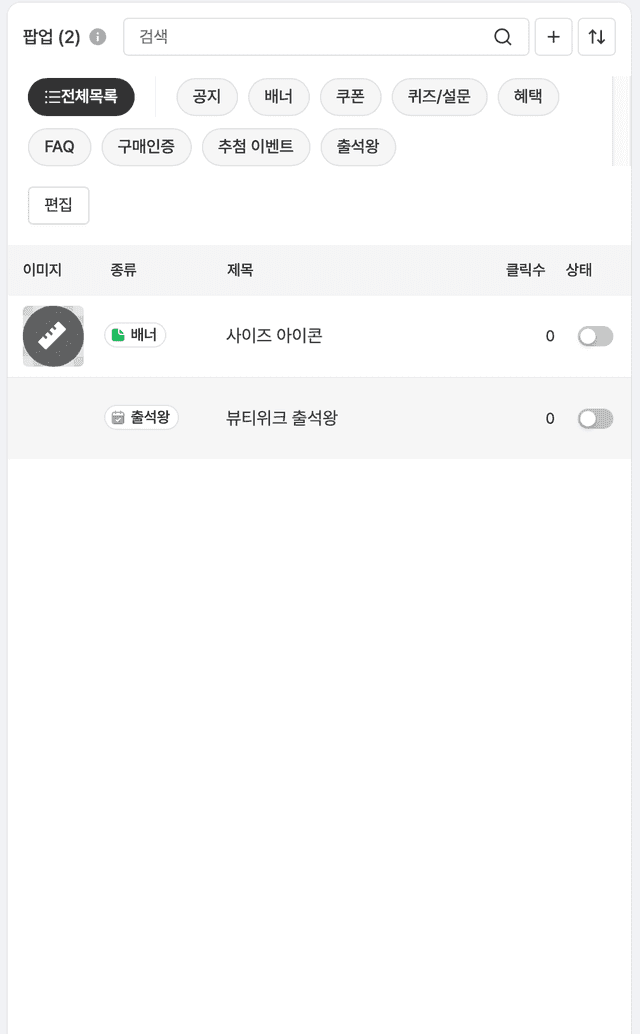
You use the same pop-up creation screen as always: pick "Attendance tracking" as the type, then enter a title and a description. Leave the description blank and it fills in automatically based on the minimum watch time you set, so you can publish without writing any copy.
STEP 2. Link your campaigns
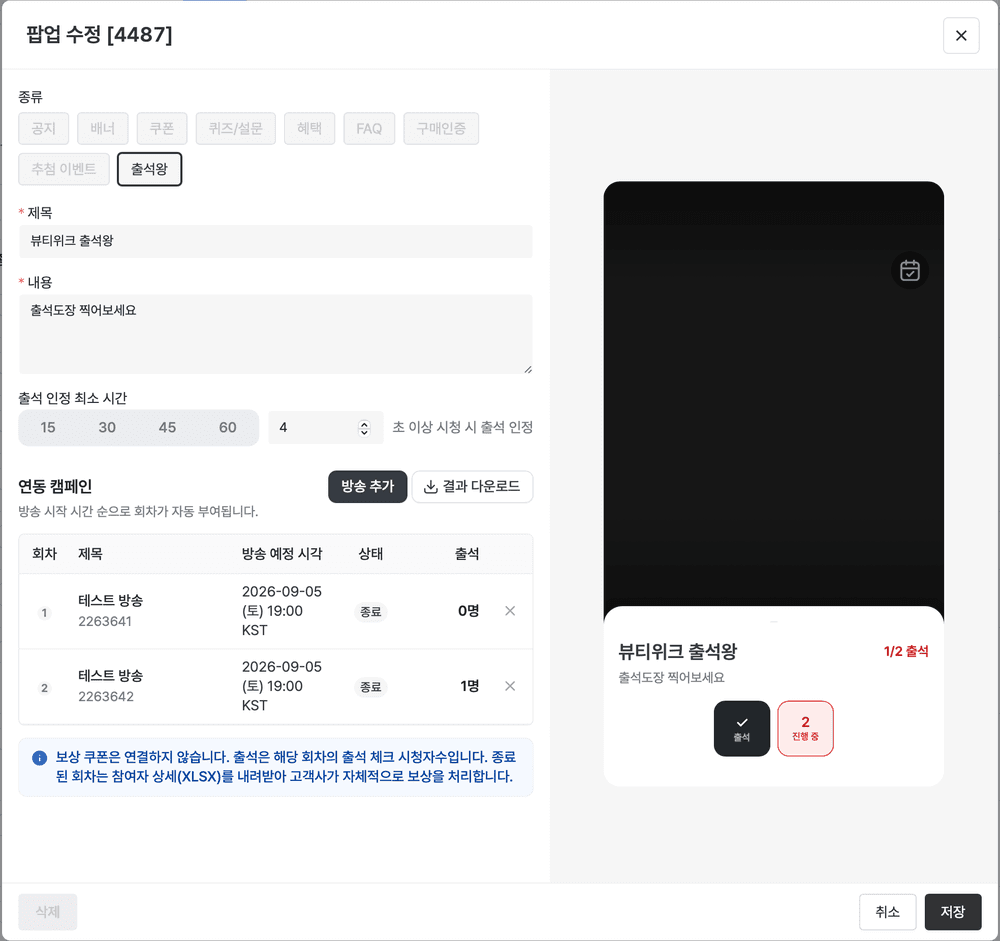
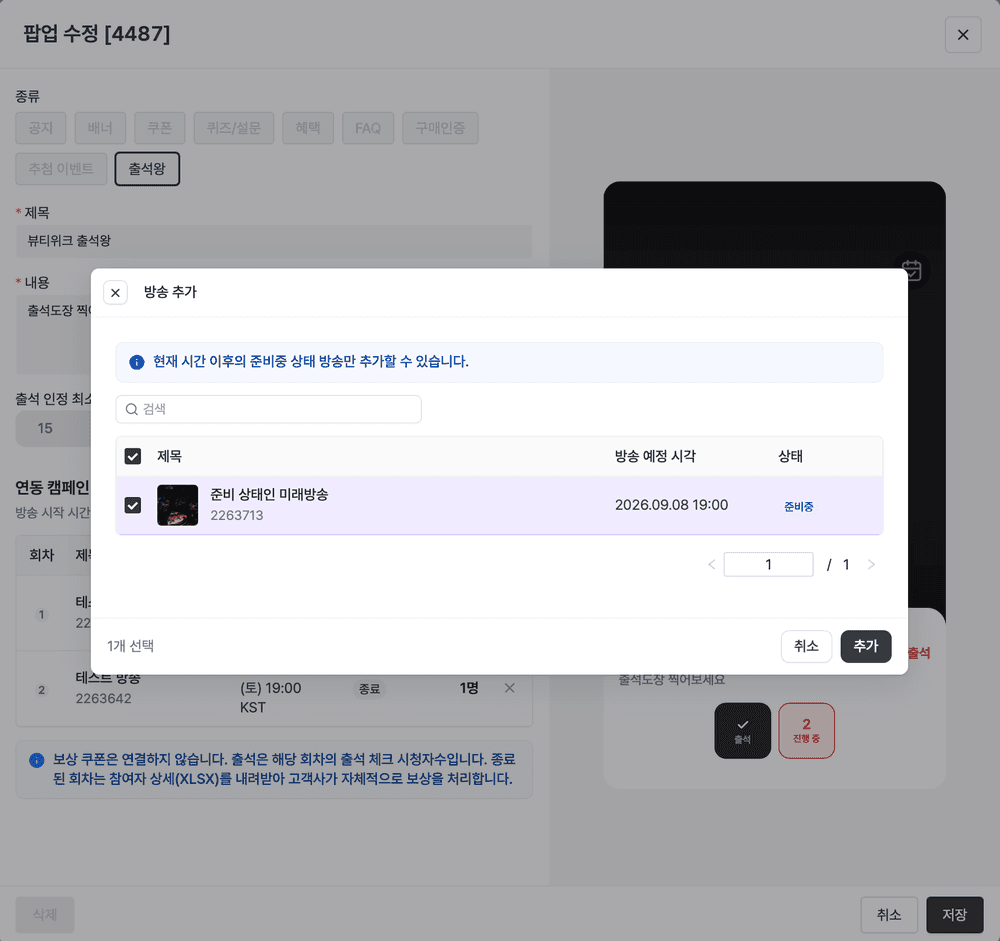
Linking campaigns is the step that matters most. You search for broadcasts by date range, campaign name or ID on a separate screen and add them, but only campaigns still in "Scheduled" status can be grouped into sessions. Broadcasts that have already started or finished can't be slotted in later, so it's natural to lock your campaign calendar first and set up attendance tracking after. Session numbers are assigned automatically, in order of start time.
STEP 3. Set what counts as a check-in
The minimum watch time can be 30, 60, 180 or 300 seconds, or a value you type in yourself, and it feeds straight into the countdown and the message in the player. You can also toggle whether the name and schedule of the next session appear as soon as a viewer checks in.
STEP 4. Review and download the attendance data
Once a broadcast ends, the linked-campaign table in the admin shows check-ins per session and the running total, and you can export detailed participant data to Excel for sessions that have finished. That export covers campaign details, check-in time and watch duration, UID and the brand's own member ID, plus whatever the brand passes through, such as name, gender and age.
One caveat: reward design and payout, next-broadcast subscription alerts and a dedicated stats dashboard are not in this release. Rewards have to run through the brand's own channels, based on the attendance data you download.
Which campaigns is attendance tracking right for?
Attendance tracking pays off more the longer your series runs. Seasonal campaigns like Black Friday are a particularly good fit: plenty of brands are promoting at once, which makes retention worth more, and broadcasts cluster into a short window, which gives you enough sessions to stack. A one-off promotion with one or two streams is the opposite case. There are no sessions to accumulate, so the whole point, completion, never comes into play. In-stream engagement events on their own will do the job there.
The first thing to settle is the number of sessions. Too many and completion feels out of reach, so early churn rises. Too few and the cumulative effect never builds. Weigh your campaign calendar against the number of sessions viewers will genuinely believe they can finish.
Line up the campaigns you want to link before any of them go live. The campaign search only lets you add broadcasts in "Scheduled" status, so anything already started or finished can't be added afterward. Set the minimum watch time to match the length of the stream: 30 or 60 seconds for short broadcasts, 180 or 300 for ones carrying a lot of information.
Rewards aren't paid out automatically, so decide in advance which channel you'll route the downloaded data into. That's what lets you act the moment the campaign ends.
✔️ Is the campaign a series running across several sessions? (With one or two, engagement events alone may be enough.)
✔️ Have you set a session count viewers will believe they can finish?
✔️ Does the minimum watch time match the length and character of the broadcast?
✔️ Have you decided the completion reward and the channel that will deliver it (CRM, coupon system)?
✔️ Has your team agreed on the data fields you'll export (campaign, check-in, user)?
FAQ
Q. What does it take to lift return rates in live commerce?
Alongside events that raise attention within a single broadcast, you need something that accumulates participation across several. Attendance tracking events are the standard answer, and varying the type of reward by completion point drives return visits and purchase conversion together.
Q. Why is an attendance tracking event effective against cherry-picking?
Cherry-picking shows up when a viewer has already collected everything one broadcast has to offer and has no reason to watch the next. Attendance tracking changes the basis for a payout from a single instance of participation to check-ins accumulated across multiple broadcasts, so joining one stream and leaving earns nothing at all. Tie the completion reward to a purchase and conversion follows naturally.
Q. Should every live campaign use attendance tracking?
No. It pays off most in series campaigns that run across several sessions, like Black Friday. A one-off promotion with one or two broadcasts has no cumulative effect to expect, and engagement events alone are enough.
Q. How are attendance tracking rewards paid out?
Shoplive attendance tracking collects check-in data for each session and hands it to the brand. Designing and delivering the rewards is done by the brand through its own channels, based on the data it downloads.
Q. How do I decide what counts as a check-in (the minimum watch time)?
You can pick 30, 60, 180 or 300 seconds, or enter your own value. Match it to the length and character of the broadcast. Whatever you set appears in the message and the countdown on the player screen.
Q. What data does attendance tracking provide?
Campaign details (campaign name, session), check-in details (check-in time, watch duration, the minimum that counts) and user details (UID, the brand's member ID, and pass-through values such as name, gender and age), downloadable as Excel for campaigns whose sessions have ended.
📝 Worth reading next
Want the same pull on your own broadcasts? See attendance tracking in the demo.


