Live Commerce Pop-Ups: Tips to Boost Conversions

Words by
Riley
Edited by
Lucid
An advanced guide to Shoplive live pop-ups. We break down hands-on operational know-how that boosts clicks and purchase conversion, using coupon pop-ups as navigation buttons, full-size banners as frames and product-information overlays, and more, complete with real examples.
Beyond basic uses such as coupons and banners, Shoplive live pop-ups can also serve as landing (navigation) buttons, screen frames, product and model information overlays, and multi-coupon guides. This article walks through three advanced techniques you can apply right away in real operations. For the fundamentals, see How to Make the Most of Live Pop-Ups.
Can you use a coupon pop-up like a "navigation button"?
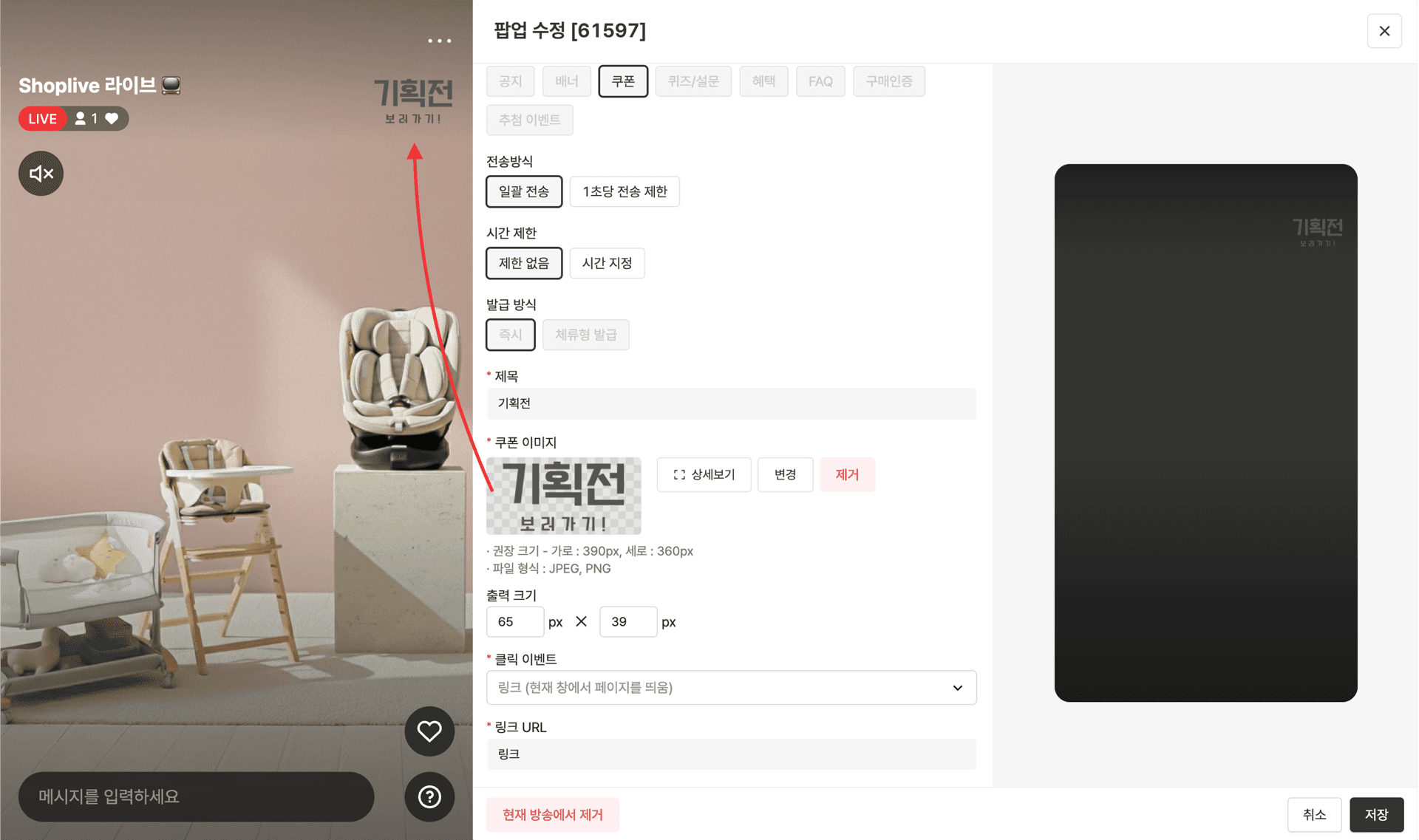
Yes. If you register a guide image and a destination link in a coupon pop-up, viewers can jump straight to the campaign or product page you want with a single tap on the pop-up. When you want to strongly push a specific campaign or featured product during a live session, this lets you use a coupon pop-up not merely to display a coupon, but like a "navigation button."
✔ How to use it
Register a simple guide image instead of a coupon.
Set the link to the page to open when clicked.
Viewers can then move straight to the page you want with a single tap on the pop-up.
✔ Recommended for these situations
Connecting viewers to the purchase page naturally, without dropping off during the broadcast
Minimizing repeated link announcements in chat
Concentrating traffic on a specific product
This lets operators guide traffic in the intended direction naturally, without breaking the flow of the live session.
💡Tip: Syncing your host's cue with the pop-up timing, for example, "Tap the button showing on your screen now", can push click-through rates even higher.
Want to dress up your live screen without OBS?
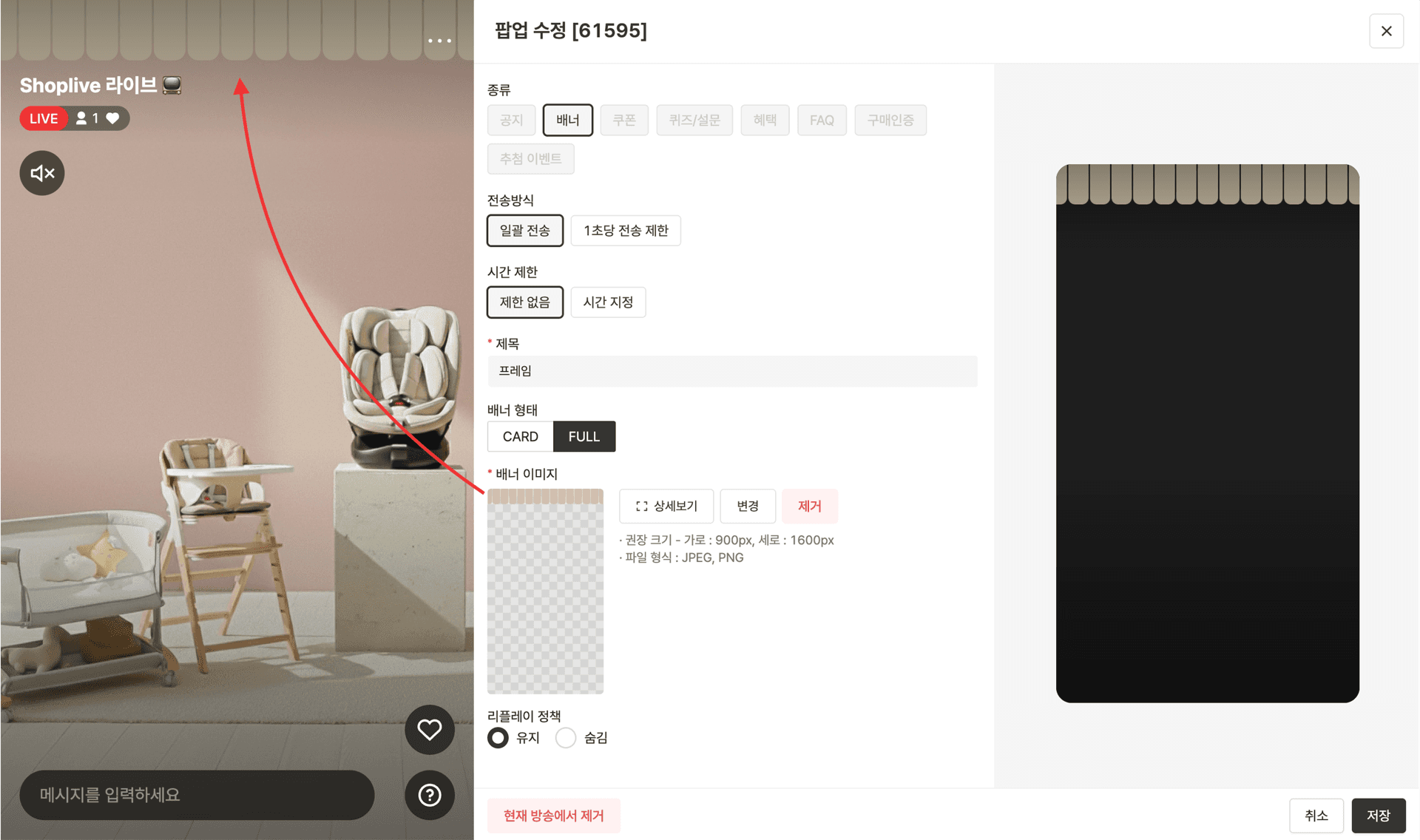
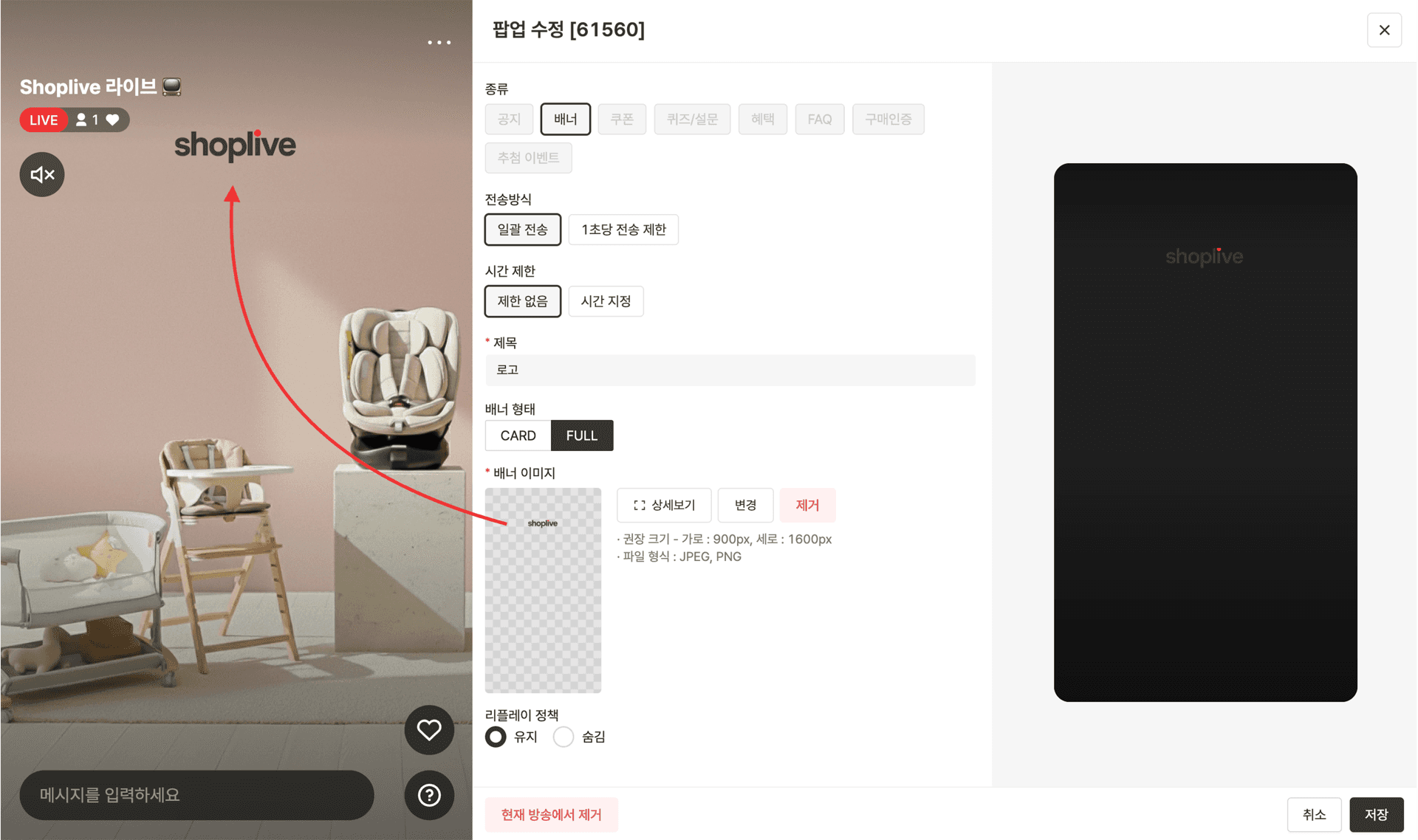
Yes. If you upload a transparent-background (PNG) frame image to a full-size banner pop-up and overlay it on the live screen, you can raise your screen's polish and keep your brand tone and manner consistent: without a separate broadcasting tool like OBS. It's especially useful when unwanted areas at the top of the screen or unnecessary elements show up in mobile live sessions.
✔ How to use it
Create a frame image in the design you want (a transparent-background PNG is recommended).
Register it as a full-size banner pop-up.
Overlay it on top of the live screen.
Even without OBS, you can improve your screen's polish and compose it in a way that maintains your brand tone and manner.
💡Tip: Beyond simply "polishing the screen," this can also be used as an element to strengthen brand recognition.
Want to show product and model information on the live screen?
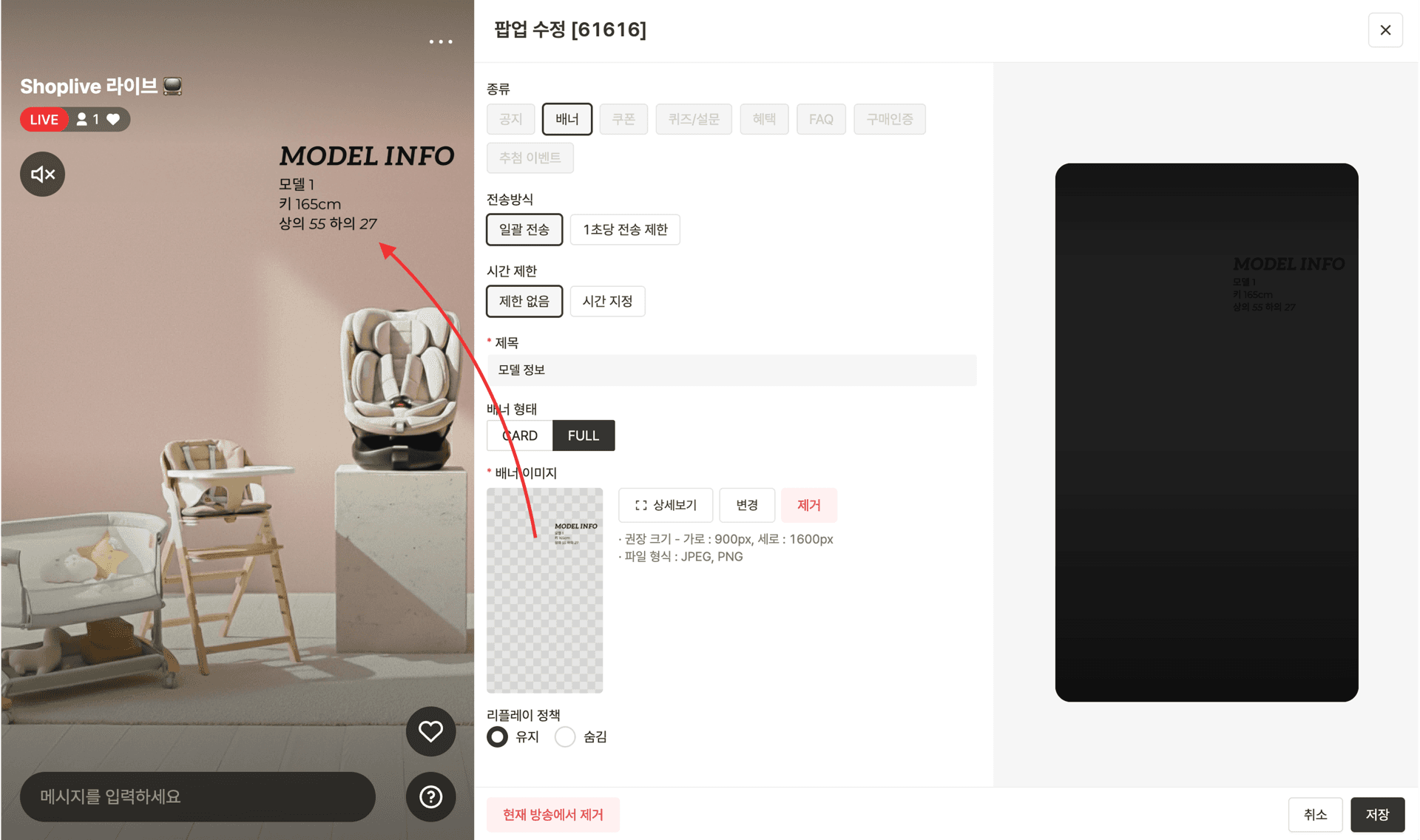
Yes. If you create an image summarizing model information (height and size worn) or product specs and display it as a full-size banner pop-up, you can clearly show the key information you need to convey during a live session: without a complex broadcasting setup. It's especially useful in the fashion and beauty categories.
You want to show the model's size information, but…
You want to display product specs on the screen as well, but…
Using OBS is difficult, and setting up a separate screen feels like too much
✔ How to use it
Create an image summarizing model information (height, size worn, etc.).
Create an image containing the product's key specs.
Display it as a full-size banner pop-up.
💡Tip: Designing the pop-up image with the background color in mind can improve readability.
Want to present several coupons at once?
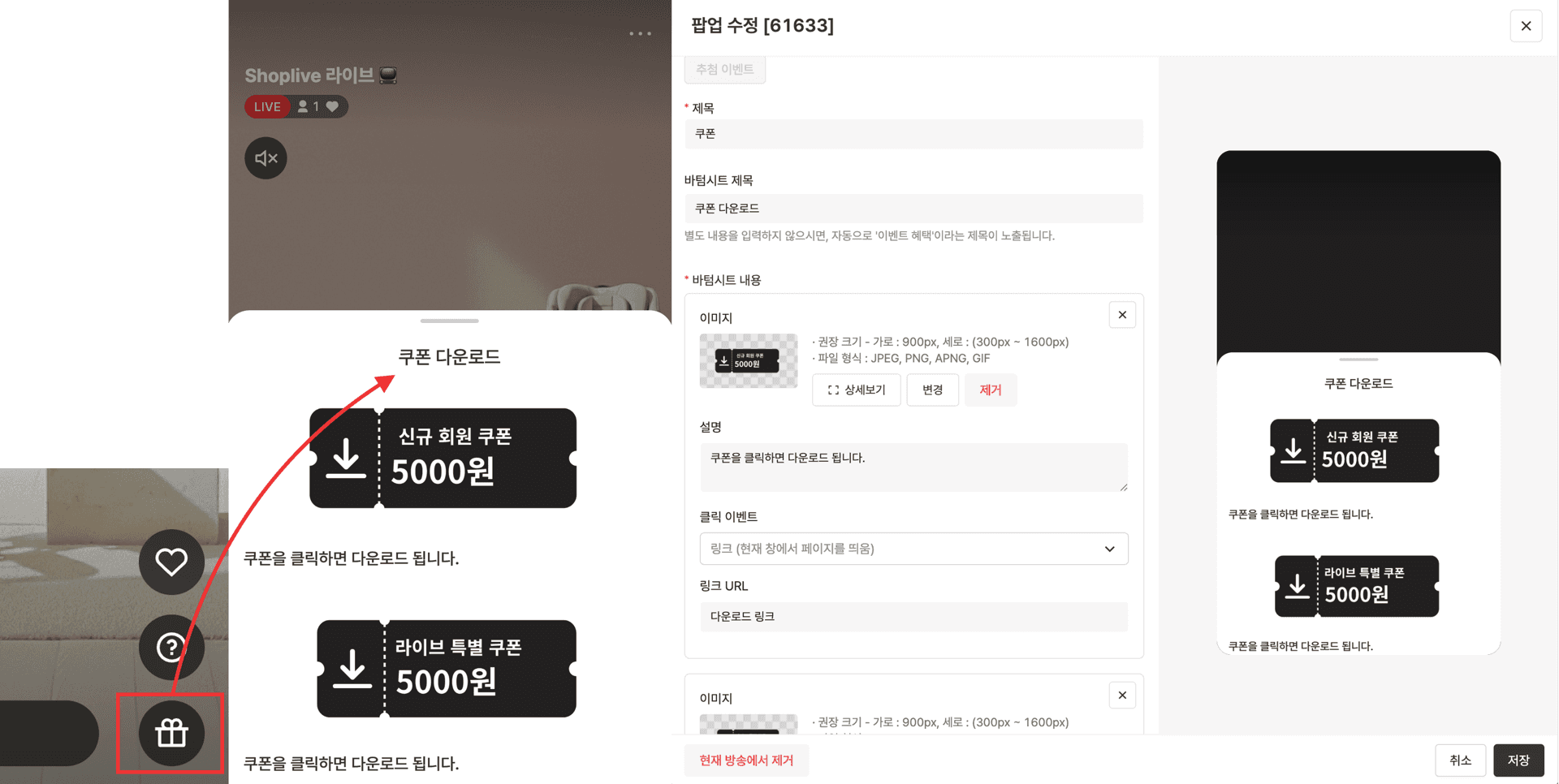
Use a benefit pop-up. A coupon pop-up displays only one coupon at a time, but with a benefit pop-up you can arrange several coupon images on a single screen, broadcast-exclusive coupons, new-member coupons, card-discount coupons, and more, so viewers can pick the coupons they need and download each one.
✔ How to use it
Arrange several coupon images on a single screen.
Set each one up so it can be downloaded when clicked.
This way, viewers can "see at a glance which coupons are available" and select and download the ones they need.
💡Tip: The more complex your benefit structure and the more coupons you have, the more a benefit pop-up helps you present them in a much more organized form.
Shoplive pop-ups can be used according to their set functions, but they can also be applied flexibly depending on your operating environment and goals. We especially recommend making more active use of them if you have a small internal team or broadcast on mobile without OBS.
Pop-ups are more than a simple display feature: they are a supporting operational tool that can shape the live journey, structure information, and drive conversion. By using pop-ups strategically with Shoplive's live solution, you can go beyond communicating with viewers to naturally draw oengagementent and purchase conversion, taking the overall quality of your live commerce operations to the next level.
Frequently Asked Questions
Q. Can a live pop-up send viewers directly to a specific page?
Yes. If you register a guide image and a destination link in a coupon pop-up, viewers move to the page you want with a single click.
Q. Can you dress up the live screen without OBS?
Yes. If you upload a transparent-background (PNG) frame image to a full-size banner pop-up and overlay it on the live screen, you can raise your screen's polish without OBS.
Q. Can you offer several coupons at the same time?
With a benefit pop-up, you can arrange several coupon images on one screen and set them up so viewers can download each one.


