Turn your Shopify store into a live and short-form storefront

Words by
Sun
Edited by
Roanne
💡 Key takeaways
Add live shopping and shoppable short-form video to the Shopify store you already run. The standard deployment needs no custom integration code.
Live, always-on short-form, auctions, and pop-ups run on one platform, while cart and checkout stay on Shopify.
Simulcast to social channels for reach, and keep purchases and customer data in the store you own.
Your next video commerce channel may already be the storefront you own.
Shoplive brings live shopping and shoppable short-form video directly to Shopify. The app connects the Live Player and synchronizes Shopify items, giving merchants a practical deployment path without custom integration work.
Reduce channel fragmentation
Opening another marketplace account does not replace Shopify. It creates another storefront for the team to operate. Catalog data, inventory, pricing, campaigns, content, policies, and reporting can become separate workstreams.
The customer experiences that fragmentation as well. A shopper may discover a product in one channel, visit another page for details, create a new account, and complete a different checkout. Each handoff creates another point of abandonment.

Use external channels for reach while Shopify remains the connected shopping destination.
Multiple channels for reach. One connected store for shopping.
Reduce operational overhead for the merchant and remove unnecessary steps from the buying journey.
Deploy the Shopify integration
Shoplive provides a turnkey integration for the standard Shopify deployment. Merchants install the app, connect item sync, add the Live Player, and validate the experience on the existing storefront.
This is more than a faster implementation path. The video commerce experience begins with the Shopify operation already in place, which reduces repetitive catalog setup and keeps product discovery connected to the merchant's established checkout and customer relationship.
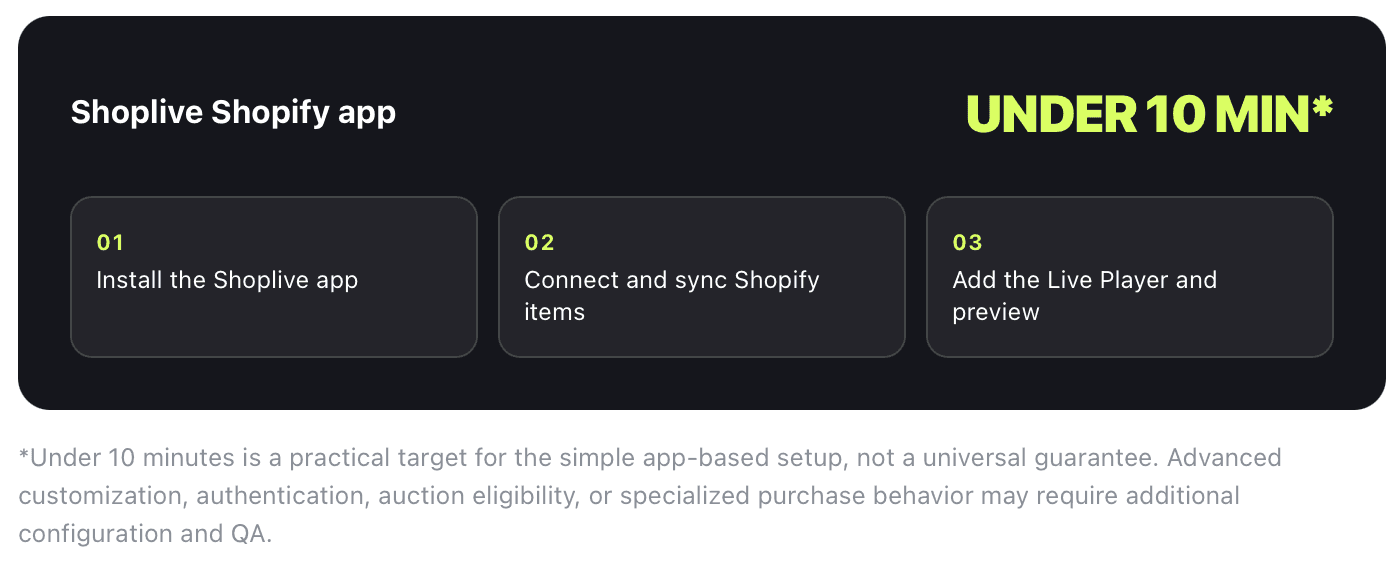
Install — Add the Shoplive app to the Shopify environment.
Synchronize — Connect Shopify items to the video commerce workflow.
Publish — Add the player and validate the customer experience.
Build an always-on video commerce strategy
Live and Shortform serve different points in the customer journey. Live broadcasts create urgency, product education, and real-time interaction. Shoppable short-form video keeps high-performing moments available after the broadcast.
Together, they turn video from a one-time campaign into a persistent storefront capability. Teams can also import supported social content, including Instagram assets, to extend existing production investments.
Activate conversion workflows in one platform
Video delivery alone does not create a commerce strategy. Conversion depends on how teams connect content, products, interaction, and action within the customer experience.
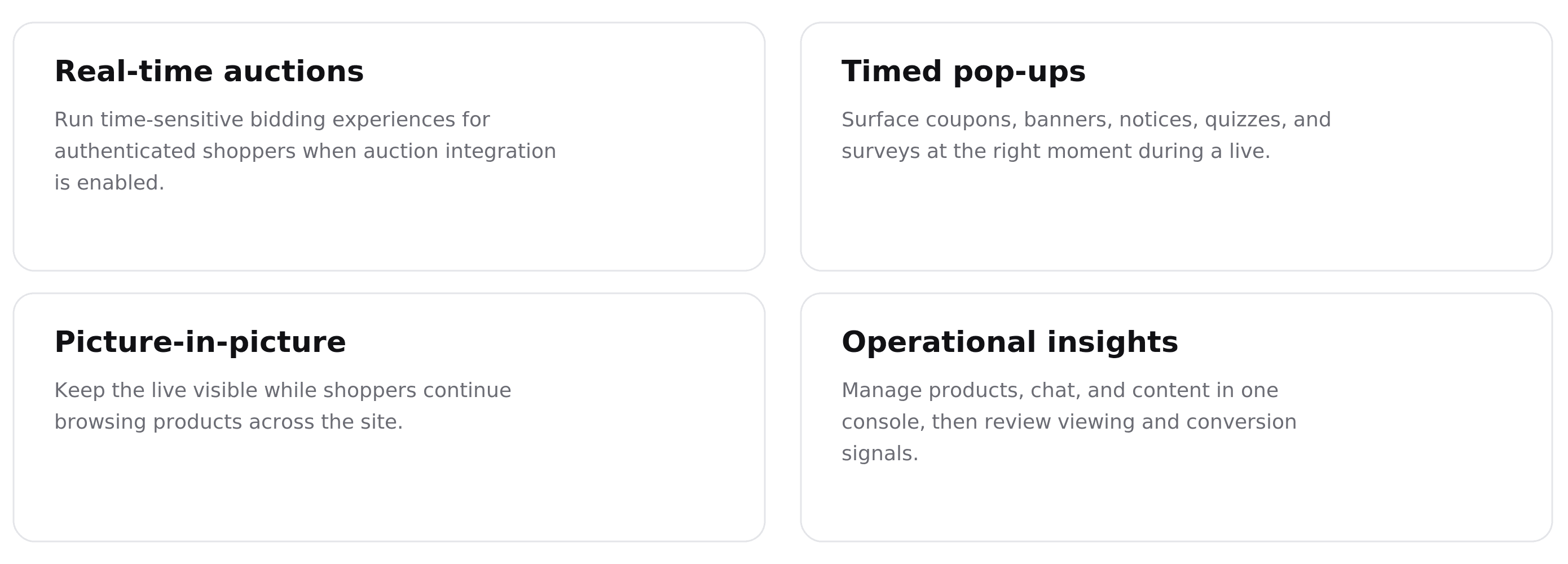
Create time-sensitive participation around eligible products and events.
Present offers, prompts, and calls to action at relevant moments.
Keep video visible while shoppers continue browsing the storefront.
Review engagement and commerce activity in a shared operational environment.
The result is an out-of-box video commerce layer that presents one branded experience to the shopper while centralizing Live, Shortform, interaction, and performance workflows for the merchant.
Extend reach with simulcasting
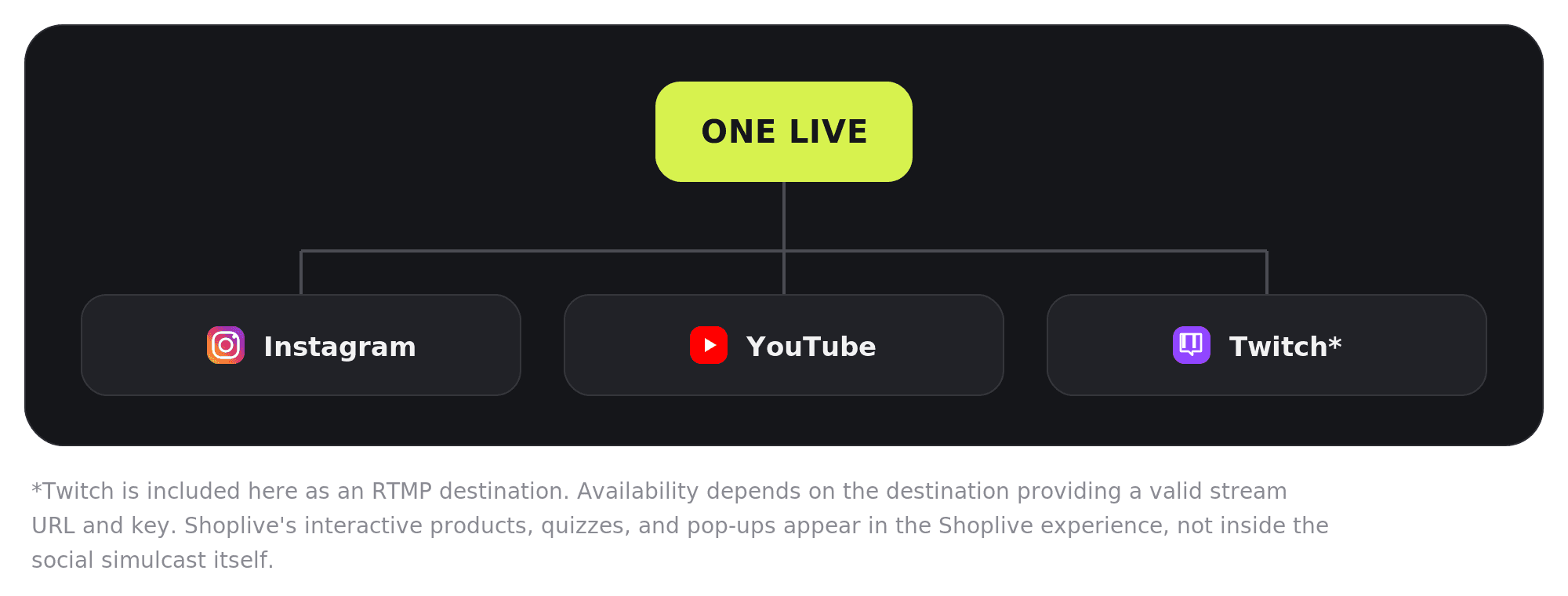
An owned-channel strategy does not require a brand to give up social distribution. Shoplive supports RTMP simulcasting, allowing one live production to reach supported social destinations while the Shopify store remains the primary commerce environment.
One live production
Social reach
Shopify checkout
Content reuse
Use social for reach. Keep the connected shopping experience on Shopify.
Launch with a focused plan
Select one commercial use case — Start with a product demonstration, launch event, expert Q&A, or auction. A focused format is easier to produce, measure, and optimize.
Connect Shoplive to Shopify — Install the app, synchronize products, add the Live Player, and validate the storefront experience on desktop and mobile.
Define conversion moments — Plan a timely pop-up, a featured-product sequence, and a clear call to action that supports the commercial objective.
Distribute to existing audiences — Simulcast to supported social destinations while directing high-intent shoppers to the owned storefront.
Extend the value of every broadcast — Convert product demonstrations, reactions, and expert answers into shoppable short-form content for ongoing discovery.
Frequently asked questions
Q. Do we need a marketplace storefront before using Shoplive?
No. Shoplive adds the Live Player to Shopify and synchronizes store items through its integration app. Marketplaces can remain optional distribution channels rather than required commerce infrastructure.
Q. Does the standard Shopify setup require custom development?
No custom integration code is required for the standard app-based deployment. Advanced authentication, custom purchase flows, or specialized UX requirements may require additional configuration.
Q. Why not operate Shopify and several marketplace stores separately?
Every additional storefront introduces separate catalog, campaign, policy, and reporting workflows. It can also require buyers to switch accounts or checkout experiences.
Q. Can we continue streaming to social channels?
Yes. Shoplive supports RTMP simulcasting to destinations that provide stream information, including documented workflows for Instagram, YouTube, and Facebook.
Q. How quickly can a team launch?
The standard app-based deployment is designed for rapid implementation. Timelines for advanced authentication, auctions, specialized purchase behavior, or deeper customization depend on scope and testing requirements.
Q. Is the platform suitable for both growing merchants and enterprise brands?
Yes. Teams can begin with the standard Shopify deployment and expand into deeper authentication, data, mobile, and operational integrations as requirements evolve.
Product references


